Article
Smartsheet connector for Claude now generally available!

March 2, 2026
You can now connect Smartsheet directly to Claude through our new MCP Server integration, enabling you to get real-time insights, understand project health, and take action on your work, all through conversation.
Claude securely accesses live sheet data to analyze task progress, overdue items, and key risks — then quickly summarizes status, highlights priorities, or generates new project plans. What used to require hours of manual review now happens in seconds.
You can also take action directly from your conversation. Update task status and dates, add or modify columns, manage risks, or even create new assets, such as a visual project summary or presentation deck, based on your Smartsheet data.
The result? Your teams save time, uncover critical insights, and move projects forward with confidence.
How to get started:
Prerequisites:
To use the Smartsheet connector for Claude, you’ll need:
- A Claude account
- A Smartsheet Business or Enterprise plan
Connect Smartsheet to Claude:
- Open Claude and sign in.
- Go to Settings > Connectors and scroll to the Smartsheet Connector.
- If the Smartsheet Connector doesn't appear, select Browse Connectors and search for Smartsheet. (Note: To see the Connector on the Claude Connector marketplace, a Claude Owner must first enable it for your organization. Refer to Claude’s instructions here.)
- Select Connect.
- In the new tab that opens, sign in with your Smartsheet credentials and select Allow.
- Once connected, you’ll see the Configure button and server URL, confirming that you’re connected to the Smartsheet MCP server. You can then start a new chat to ask Claude questions about your sheets or workspaces.
Learn more in our help article or read our blog.
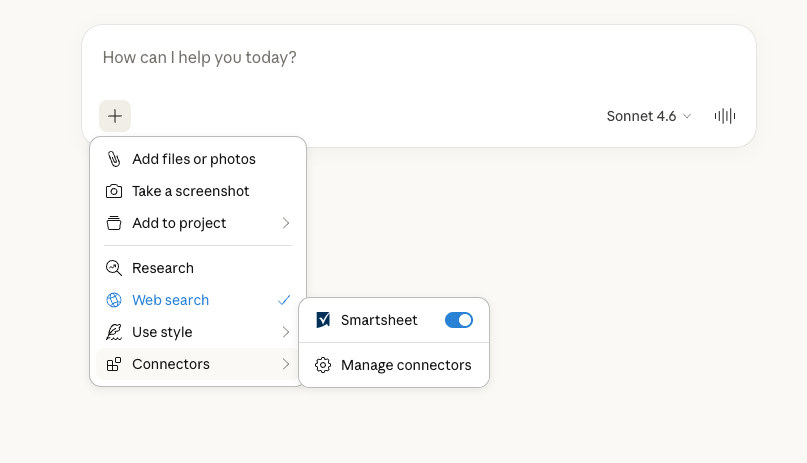
Environment Availability: Commercial US, Commercial EU, Commercial AU
Plan Availability: Business, Enterprise, Advanced Work Management (Note: All users can set up the connector, but Claude will only perform operations based on users’ permission level for a sheet or workspace)
Subscription Model Availability: Legacy and User Model