Article
Say yes to governed AI: what’s new in Smartsheet for IT
Work moves constantly between systems, teams, and AI tools, and every action touches company data that IT is accountable for. The business wants AI on live data now, yet IT has no reliable way to govern it. Saying no pushes teams toward unvetted workarounds, but saying yes raises questions that are hard to answer: what can the AI see, what can it change, and who did what?
Most of the risk lives in the handoffs. Each system governs its own data, but work passing between them travels through exports, email, and chat, with no clear owner. That’s where permissions get lost, context falls away, and shadow AI takes hold. And with everything moving faster, though not necessarily in the same direction, the gap between what the organization planned and what is actually happening widens. Smartsheet calls this execution drift. For IT, drift shows up as risk. Every ungoverned handoff widens the gap between the policies IT sets and the way work actually gets done.
Ask yourself three questions. When a team wants to connect an LLM to live project data, can you say yes with boundaries you set yourself? When your security team asks what the AI can see, what it can change, and who did what, can you show them the evidence? And when the business adopts a new system, can its data reach the teams that need it without another ticket landing in your backlog?
For most IT teams, the honest answer to all three is no. The cost shows up on both sides: AI rollouts restart their security review and slip by months, and business teams go around IT.
At ENGAGE 2026, we showed how Smartsheet works as the Execution Hub: one governed place where teams, systems, and agents move work forward under the controls IT already enforces. Here’s what’s new for IT: AI that works inside the controls you set, integrations teams can set up without a ticket, and third-party proof that gives your security team confidence in Smartsheet.
Faster, together: Smartsheet is the Execution Hub for IT
As the Execution Hub for IT, Smartsheet is one governed place where people, systems, and AI move work forward under the controls IT already enforces. Your systems of record stay where they are. The hub is where the work between them gets an owner, an audit trail, and a home.
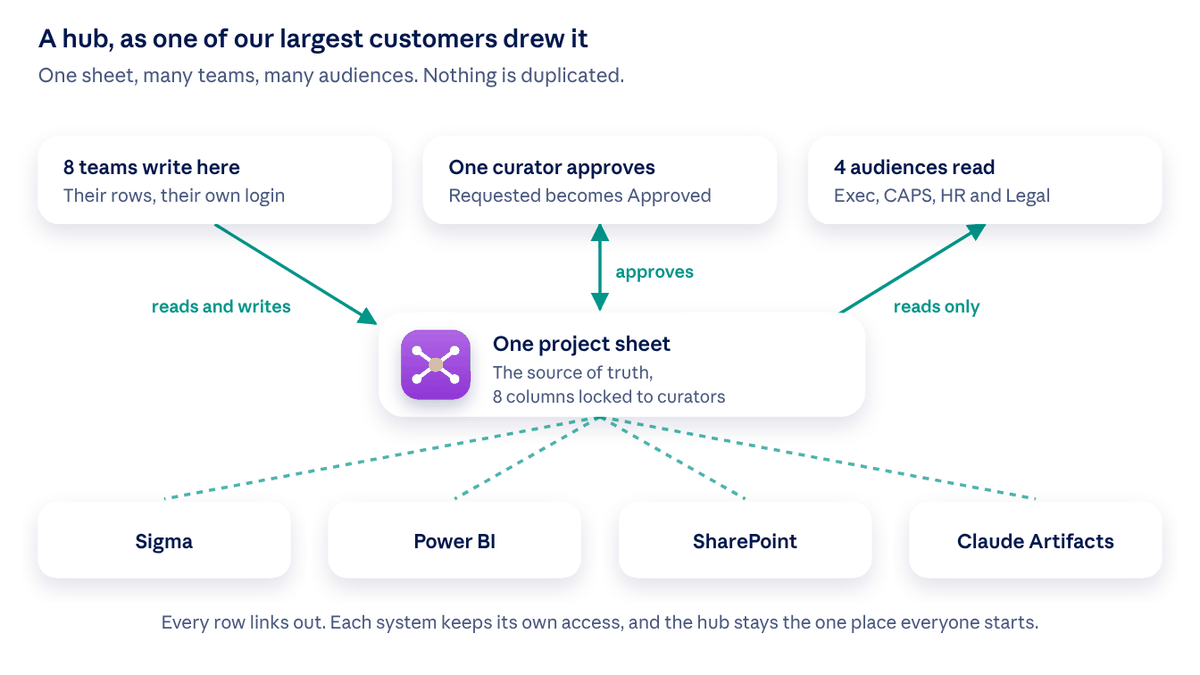
Here is how the latest releases reduce risk, cut the queue, and get teams started sooner, beginning with AI.
Smartsheet lets you say yes to AI inside your controls
The problem: Every AI tool wants your project data, and each one raises a new access question. Without a sanctioned path, data gets pasted into chat windows and exports land in personal drives. That is a risk IT carries whether or not it approved the tool.
Available now:
- The Smartsheet MCP Server puts Smartsheet inside Claude, Copilot, ChatGPT, Gemini, Amazon Quick, and more. Teams describe what they need, and Smartsheet reads, updates, and builds sheets for them within each person's existing permissions. If a person can't open something, their AI can't either.
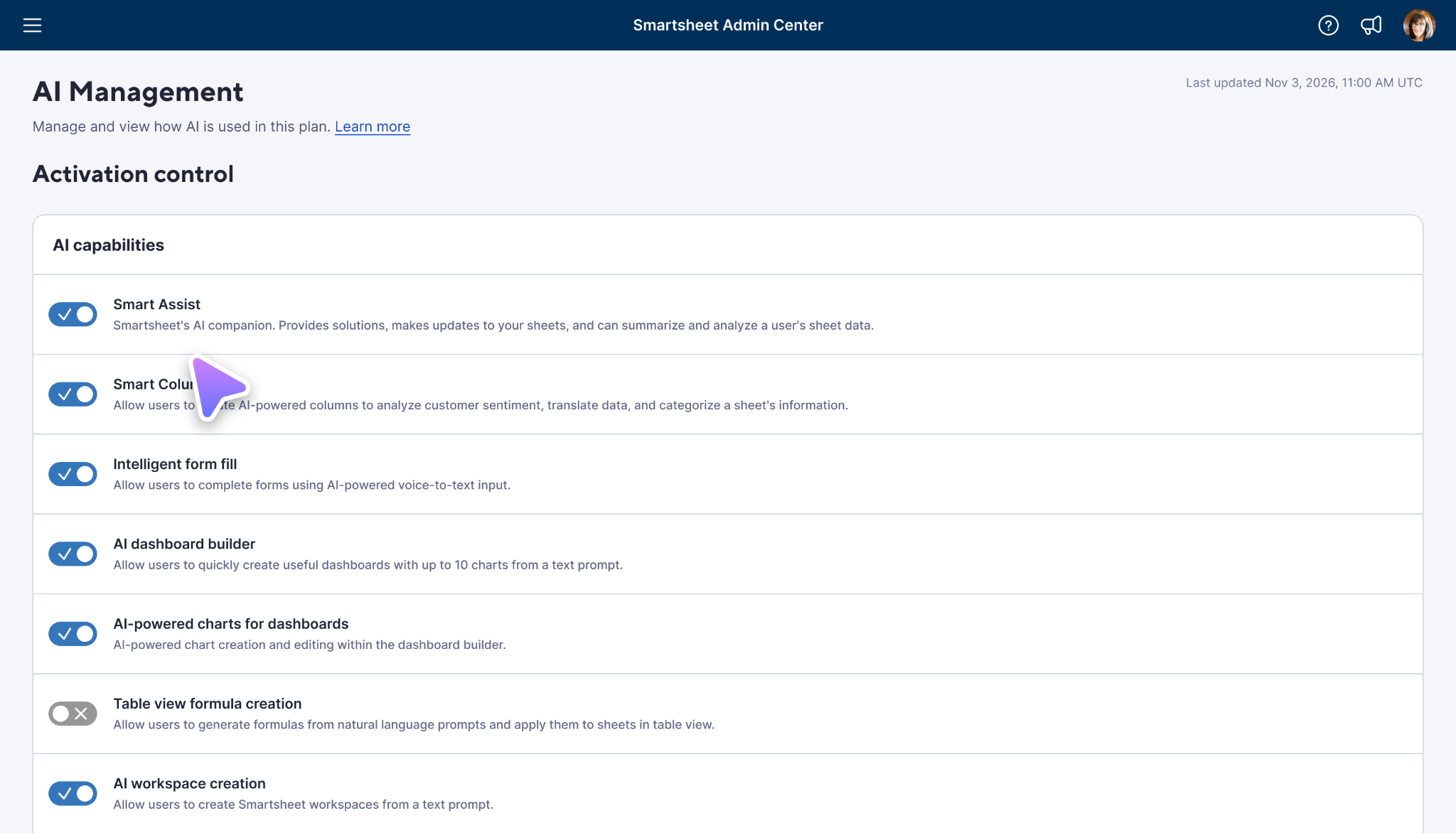
- The AI Management page lets admins choose which AI features are on and which connectors the organization allows, one at a time. Every change is logged: the record, not the memory.
- Unified User Management puts every user type on one page, and new asset reports show every asset in the plan so you can find and reassign abandoned assets in bulk.
- AI usage reporting (beta) breaks credit usage down by type of work and feature, then by plan, department, and user, so AI spend can be managed against real numbers.
Coming next: In early 2027, role-based access control splits admin work across seat, security, and data admins while the Plan Admin keeps full control, and sub-admins are free Contributor seats. Beginning with Claude, you'll be able to sign in to AI tools through your identity provider, so access follows people through role changes and offboarding.
The benefit: less shadow AI, and a record when security asks who allowed what.
Smartsheet clears the integration queue
The problem: Every new system lands in IT's backlog as a connector request. Your team spends its time building and maintaining connections while business teams wait, and the data arrives late or pasted into a spreadsheet.
Available now:
- Native integrations for ServiceNow, Microsoft Dynamics, Workday, and HubSpot bring data into Smartsheet and keep it automatically updated based on the permissions people already have. QuickBooks integration is coming soon. Build integrations into automations, and see how a new ServiceNow incident can appear as a risk in the project plan in real time. Unlimited workflows are included with Enterprise plans and above.
- Automations you build by asking and agentic workflows let teams hand off recurring work without a ticket in IT’s queue. Anyone can create, edit, or turn off an automation by describing it to Smart Assist or a connected AI tool, with no builder skills required. With agentic workflows, teams can also schedule recurring AI tasks, like a Friday status summary, that run on their own and go straight to the people who need them.
- Large sheets of up to 1 million cells and 100,000 rows are available on Enterprise plans by opt-in, so large programs stay in one sheet instead of three copies kept in sync by hand.

Coming next: In early 2027, AI-assisted integrations bring ten conversational integrations, led by Airtable, GitHub, Zendesk, and Monday, to Enterprise plans. Describe the system, approve the plan, and the data lands in your sheet with no connector to build. Smart Assist then answers questions about that data, whether it came in through a conversational or native integration. In 2027, an Automations Manager lists every automation you can access, putting errors first and explaining them in plain language, for example, when a column has been renamed. A central hub then adds agents and integrations to the same view. Soon, markdown files in workspaces will keep goals, decisions, and rules next to the sheets they describe, readable by your team and your AI.
IT's time goes to the work only IT can do, and business teams stop waiting on connectors.
Smartsheet gives your security team proof, not promises
The problem: Reviewers need evidence: who used AI, on what data, under which permissions, and how the vendor manages AI risk. Without it, every rollout restarts the review.
Available now:
- A foundation you already have: about 70 security and governance controls (17 for access, 18 for data, 23 for configuration, 12 for monitoring and detection), a 99.9% uptime SLA, and data regions in the US, EU, and Australia.
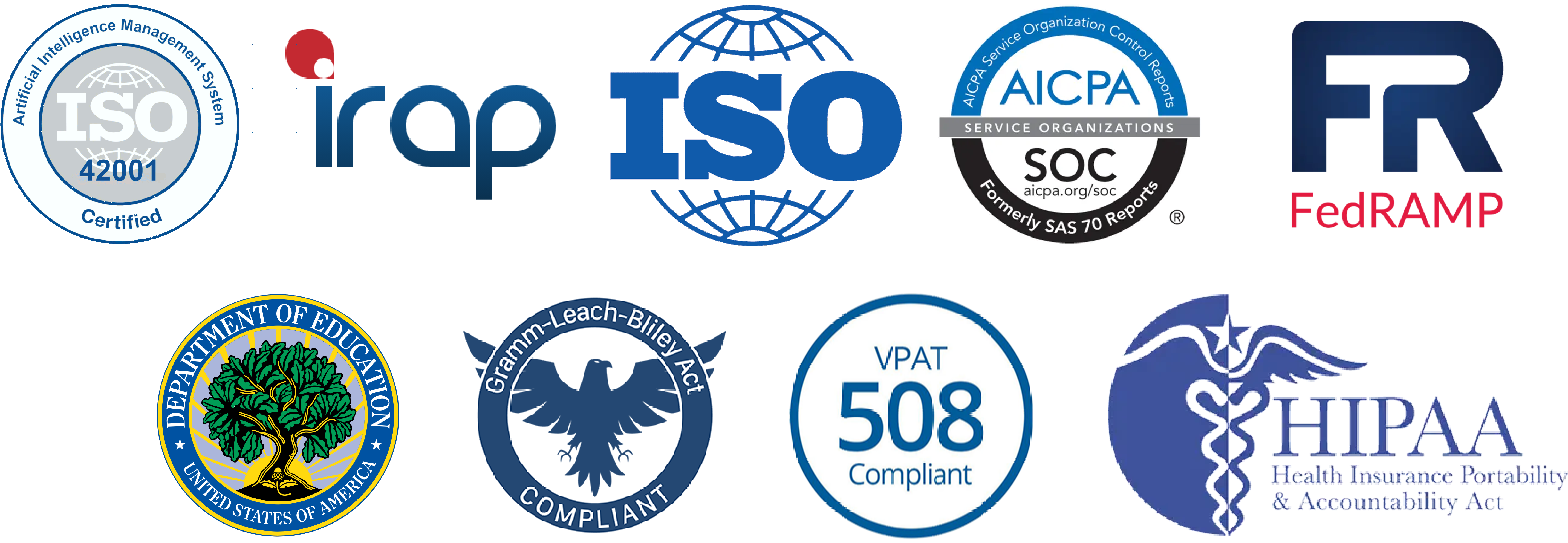
ISO/IEC 42001 certification, the first global standard for AI management systems, and a completed IRAP assessment at the OFFICIAL: Sensitive level. Both build on SOC 2, ISO 27001, HIPAA, and FedRAMP for Smartsheet Gov.
- Data classification in Safeguard. Admins set labels such as General, Confidential, or Protected Health Information (PHI), people apply them as they work, and built-in reporting shows how everything is classified. An API lets your Data Loss Prevention (DLP) or Cloud Access Security Broker (CASB) tools apply labels at scale.
- Safeguard protections. Data egress policies restrict publishing, printing, exporting, and saving as new. Retention policies remove old content automatically. Event reporting covers more than 200 event types, and since September, security event streaming pushes each event to your security tools as it happens.
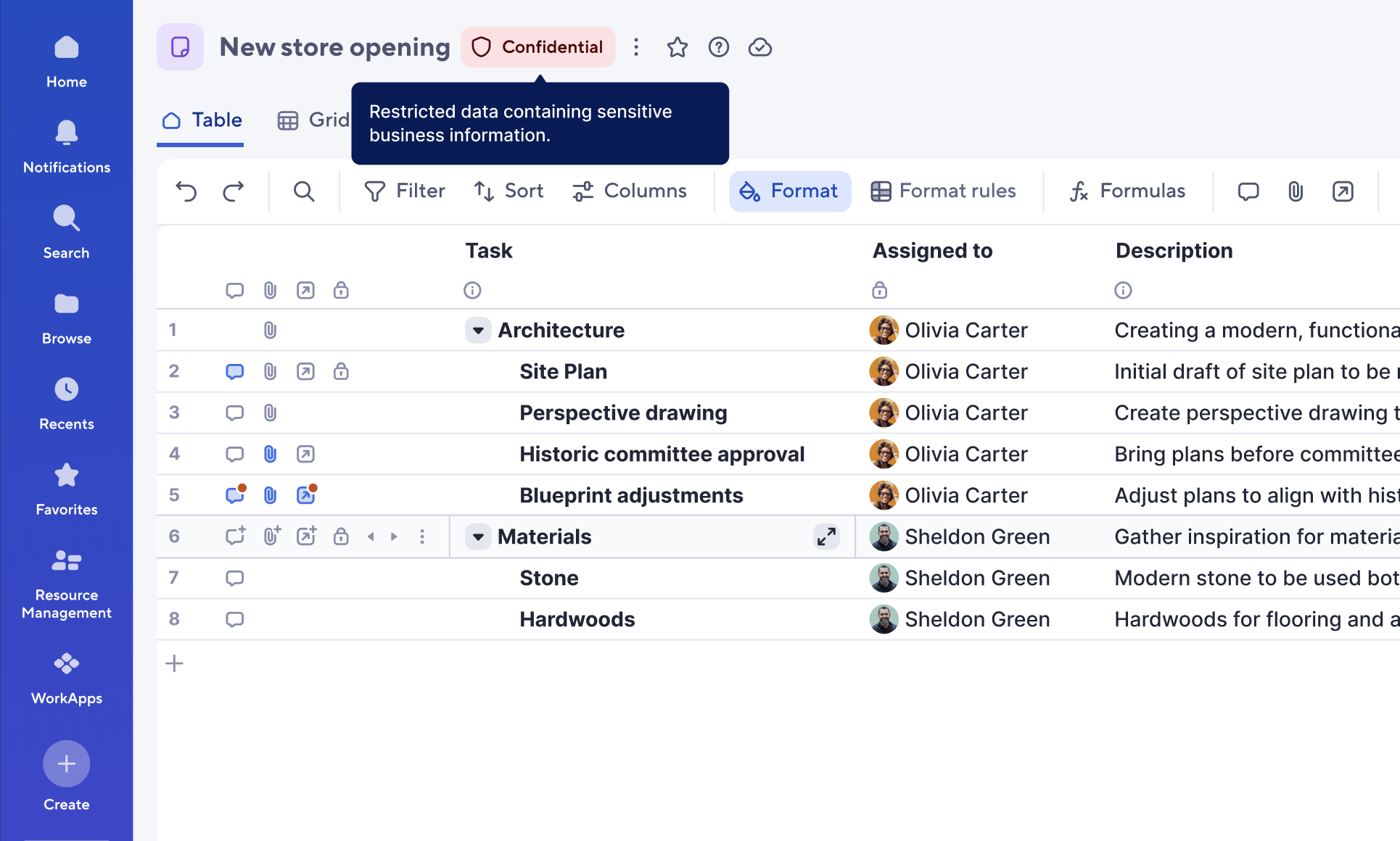
Coming next: In 2027, an in-app global audit log lets admins search seven days of activity with no integration, with human and AI actions shown separately. Following that, agents will eventually get identities of their own. Egress and retention policies also gain more granular options, and over time classification labels expand into controls. Visit our Trust Center to learn more.
Reviews don't need to constantly restart, because the evidence was already there.
What to do next
Start where AI requests cost IT the most time.
- To roll out AI to your teams while keeping control, open AI Management and decide which features and connectors are on.
- If security reviews stall rollouts, send your reviewer the ISO/IEC 42001 certification and define your first sensitivity labels.
If you handle sensitive or regulated data, talk to your account manager about Smartsheet Safeguard.
Read the main ENGAGE innovation blog for every release and the full FAQ, watch the ENGAGE keynote, or visit the Trust Center.
Frequently asked questions
Short answers to the questions we hear most from IT leaders, admins, and security teams evaluating AI in Smartsheet, as of November 2026.
The Execution Hub is one governed place where people, systems, and AI agents move work forward under the controls IT already enforces. Your systems of record stay where they are, and the work between them gets an owner, an audit trail, and a home in Smartsheet. This closes the gaps where execution drift turns into risk for IT: ungoverned handoffs through exports, email, and chat.
The Smartsheet MCP Server connects AI tools, including Claude, Copilot, ChatGPT, Gemini, and Amazon Quick, to Smartsheet. Teams describe what they need, and the AI reads, updates, and builds sheets within each person’s existing Smartsheet permissions.
No. AI connected through the Smartsheet MCP Server works within the requesting person’s existing permissions. If a person can’t open something in Smartsheet, their AI can’t either.
No. Customer data is never used to train third-party foundation models.
Admins use the AI Management page in the Smartsheet Admin Center to turn individual AI features on or off and choose which AI connectors the organization allows. Every change is logged.
Smartsheet holds ISO/IEC 42001 certification, the first global standard for AI management systems, and has completed an IRAP assessment at the OFFICIAL: Sensitive level. These build on SOC 2, ISO 27001, HIPAA, and FedRAMP for Smartsheet Gov. Details are in the Smartsheet Trust Center.
Smartsheet Safeguard adds data classification, data egress policies, retention policies, and event reporting. Admins define labels such as Confidential or Protected Health Information (PHI), and an API lets Data Loss Prevention (DLP) and Cloud Access Security Broker (CASB) tools apply labels at scale. Egress policies restrict publishing, printing, exporting, and saving as new, and security event streaming sends each event to your security tools as it happens.
Yes. Native integrations for ServiceNow, Microsoft Dynamics, Workday, and HubSpot bring data into Smartsheet and keep it updated based on the permissions people already have, with QuickBooks coming soon. In January 2027, AI-assisted integrations will let Enterprise customers connect systems such as Airtable, GitHub, Zendesk, and monday.com by describing the integration and approving the plan.