Article
Paste special in table view, now generally available!

April 9, 2026
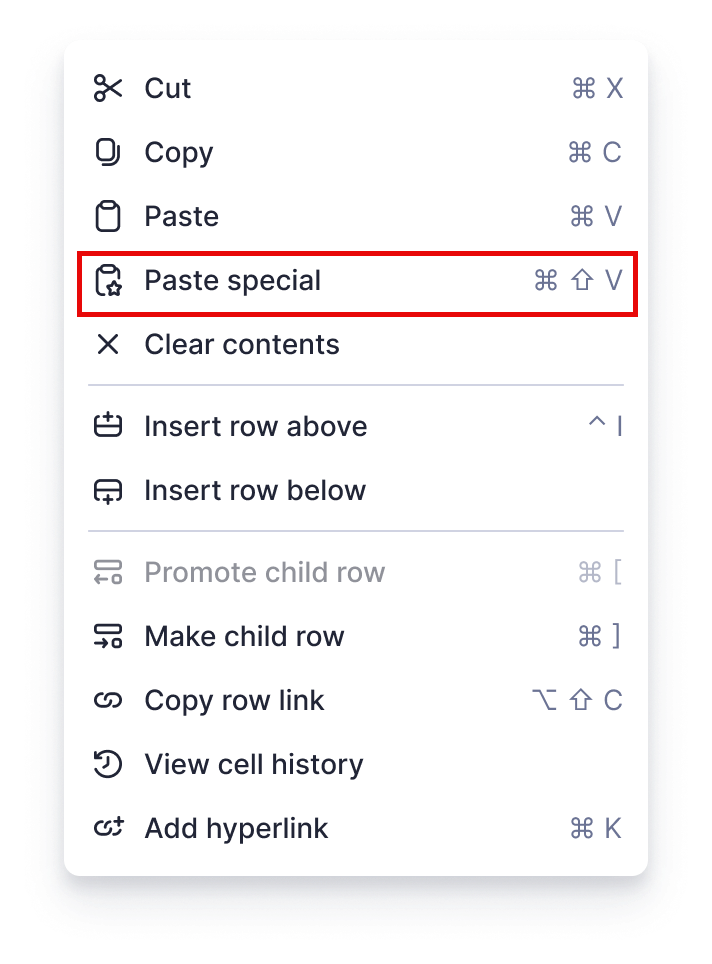
Paste special is now available in table view! This feature lets you customize what’s included when you paste content from one cell/row to another. To use this feature, simply right-select the destination cell, choose Paste special, and select how you want to paste the cell/row content—whether just the values or the formats. Or use the shortcut, CTRL + Shift + V (Windows) or CMD + Shift + V (Mac) when pasting.
Please note that the option to link to copied cells will not be supported in this release. It will be available in the coming months, once we support cell linking in table view. Learn More
Environments availability: Commercial US, Commercial EU, Commercial AU
Plan availability: Pro, Business, Enterprise, Advanced Work Management
Subscription Model Availability: legacy model, user model