Article
Duplicate cards in board view, now generally available!

March 26, 2026
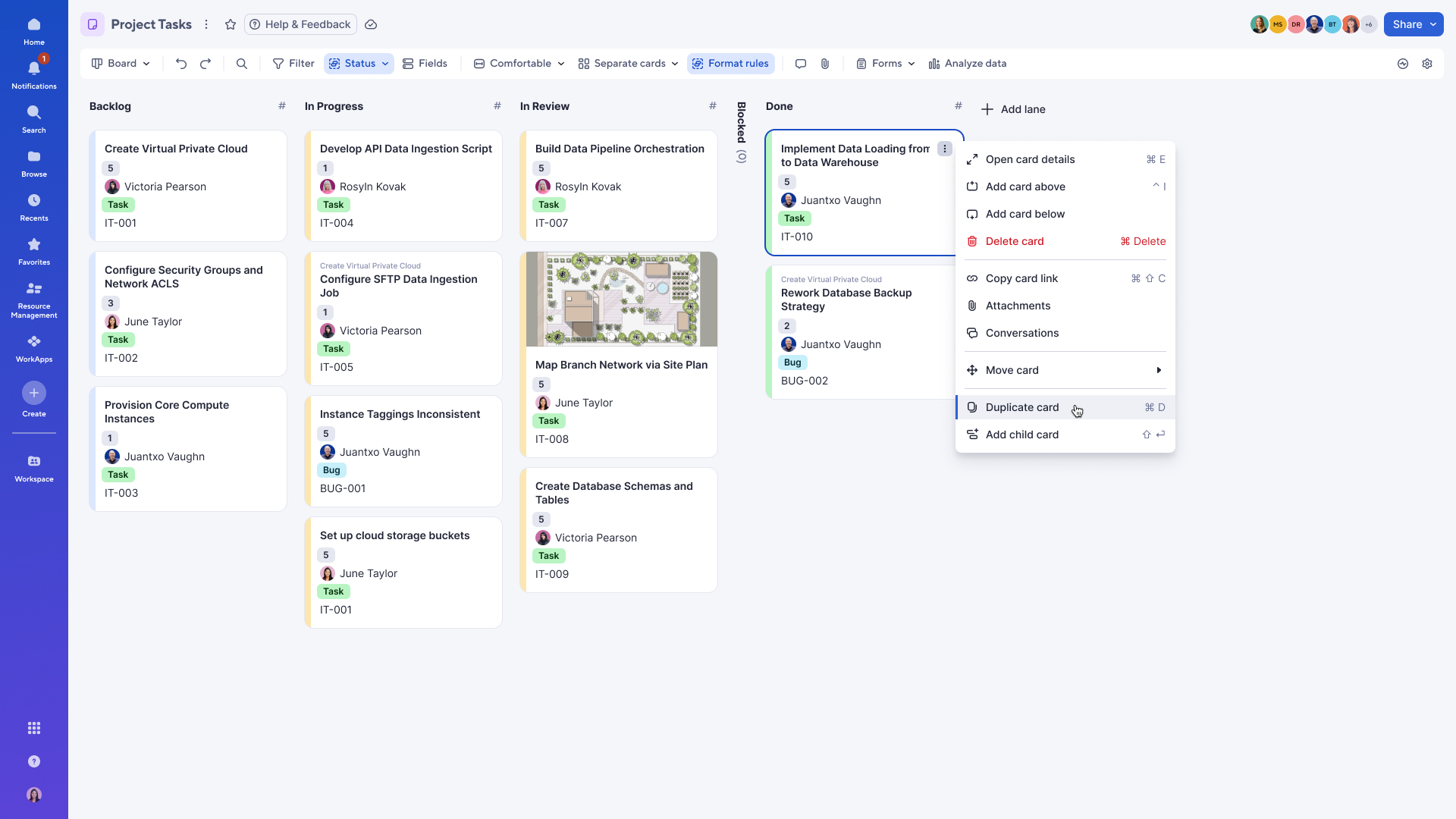
Duplicate a card in board view by opening the card options (three-dot) menu and selecting Duplicate card, or use the CTRL + D (for Windows) or CMD + D (for Mac) keyboard shortcut. The duplicated card will be placed directly below the original card.
Note: Child cards associated with the original card will not be duplicated in separate mode. When duplicating in nested mode, all children are duplicated as well. Learn More
Environments availability: Commercial US, Commercial EU, Commercial AU
Plan availability: Pro, Business, Enterprise, Advanced Work Management
Subscription Model Availability: legacy user model, user model